


Doc AI turns unstructured PDFs, specs, and spreadsheets into clean, searchable, structured intelligence.


PDFs, Word, Excel, or scans. Handles 1000+ page documents, no formatting needed.

Specify drug, disease, or biomarker for targeted extraction.

Pull trial endpoints, metrics, and values with precision.

Get automatic charts, trends, and side-by-side comparisons.

Download summaries, citations, and formatted reports.
Powerful tools designed to simplify your AI workflow — no code required.
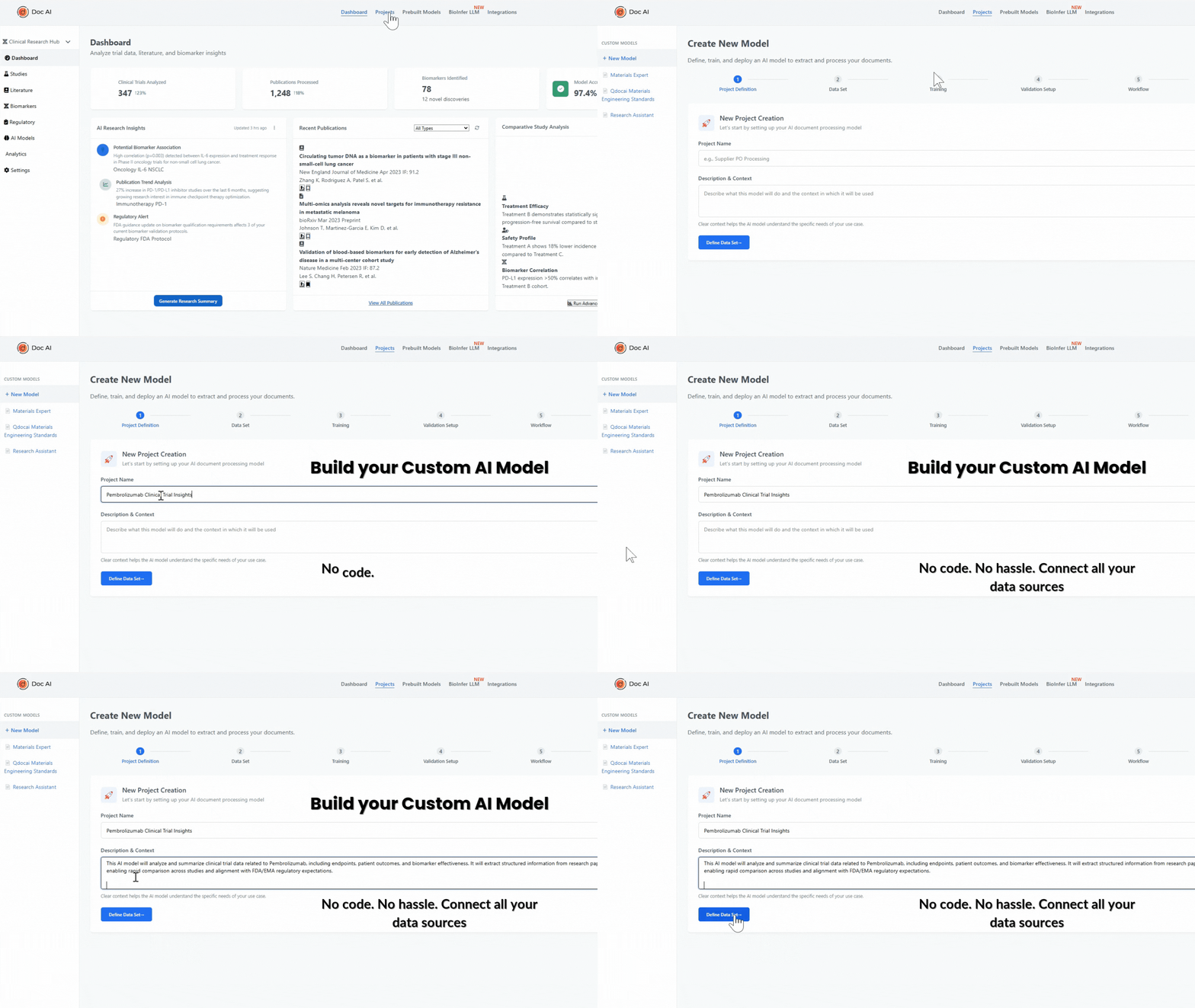
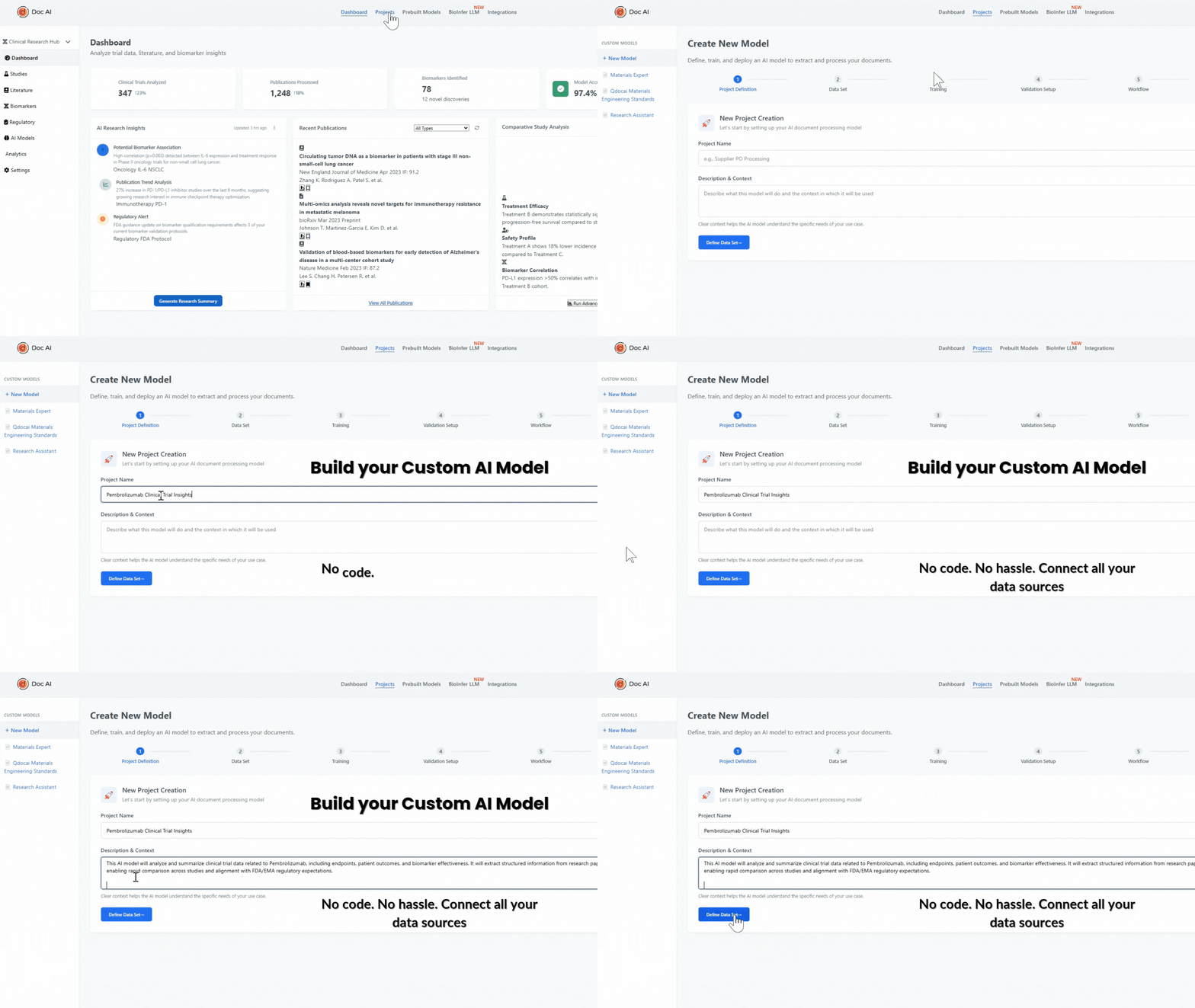
Define your purpose, upload your documents, and train a custom AI model — all without writing code. Whether you're analyzing clinical trials, auditing vendor reports, or managing engineering specs, Doc AI helps you launch tailored assistants effortlessly.
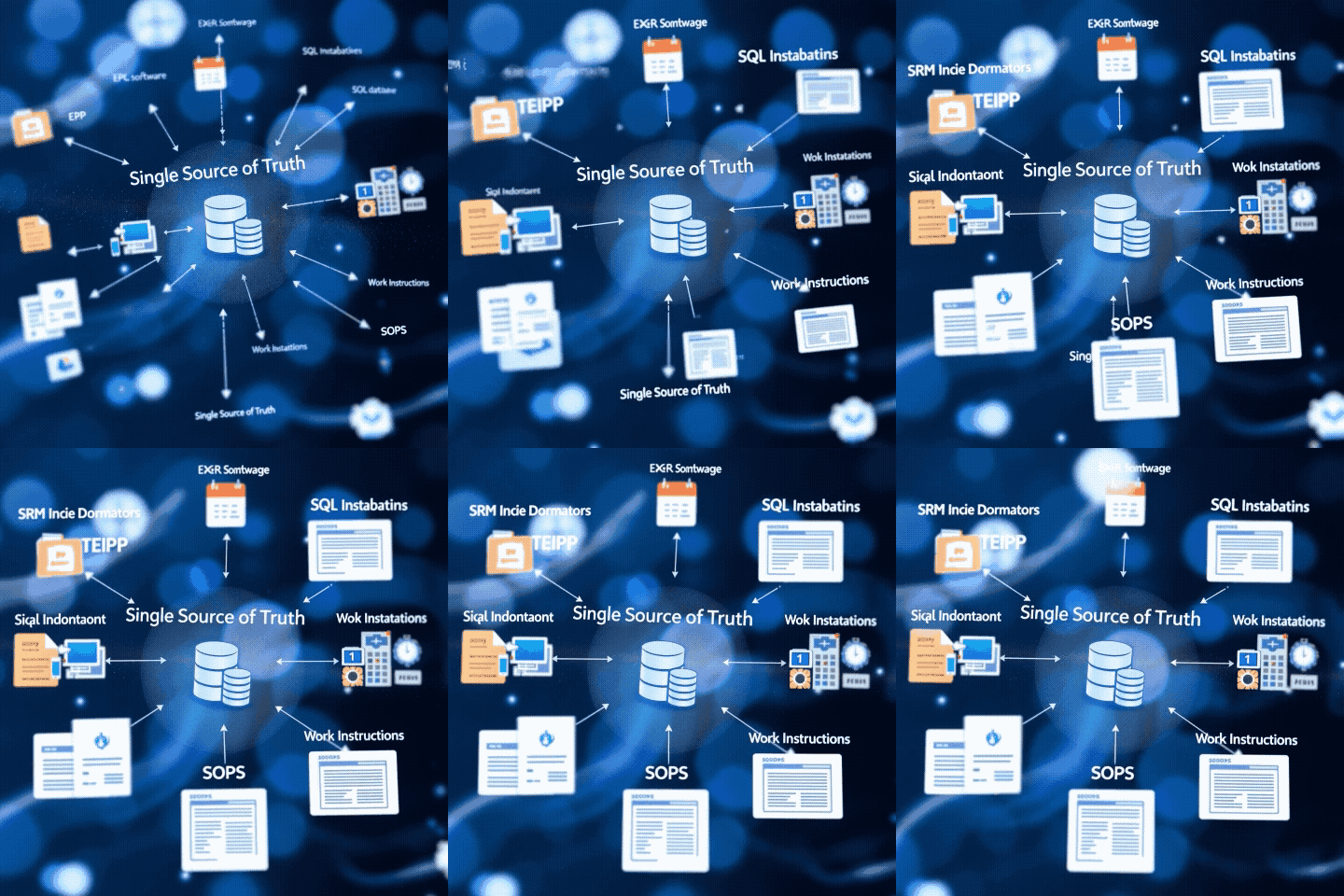
Power your model with live data — files, APIs, or databases. Integrate scientific research (PubMed, PMC), regulatory sources (ISO, FDA, EMA), internal folders, ERP exports, SQL databases, or cloud APIs. Keep your AI up to date with trusted, structured knowledge.
Doc AI validates, compares, and routes data just like a human. Set rules like ‘If invoice > $10,000, route to finance’ or ‘If tensile strength < 500 MPa, flag it. Real-time monitoring without manual work.
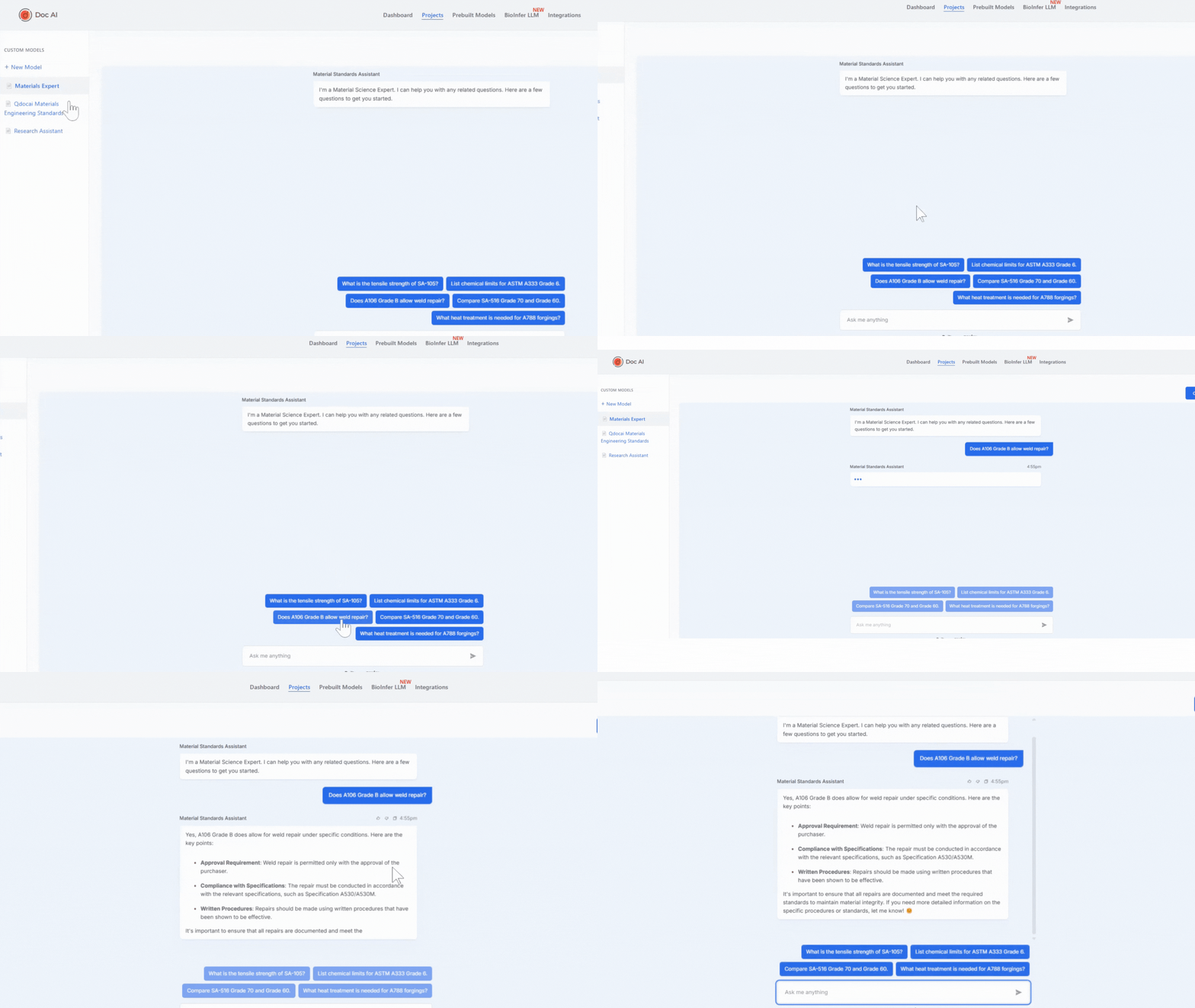
Just ask — and get structured insights instantly. Whether you’re an engineer, scientist, or sourcing lead, Doc AI understands your questions. Ask things like “Summarize patient response data,” “Show all suppliers with delayed shipments,” or “Compare chemical specs A vs B.” Get answers in tables, text, citations, or charts.
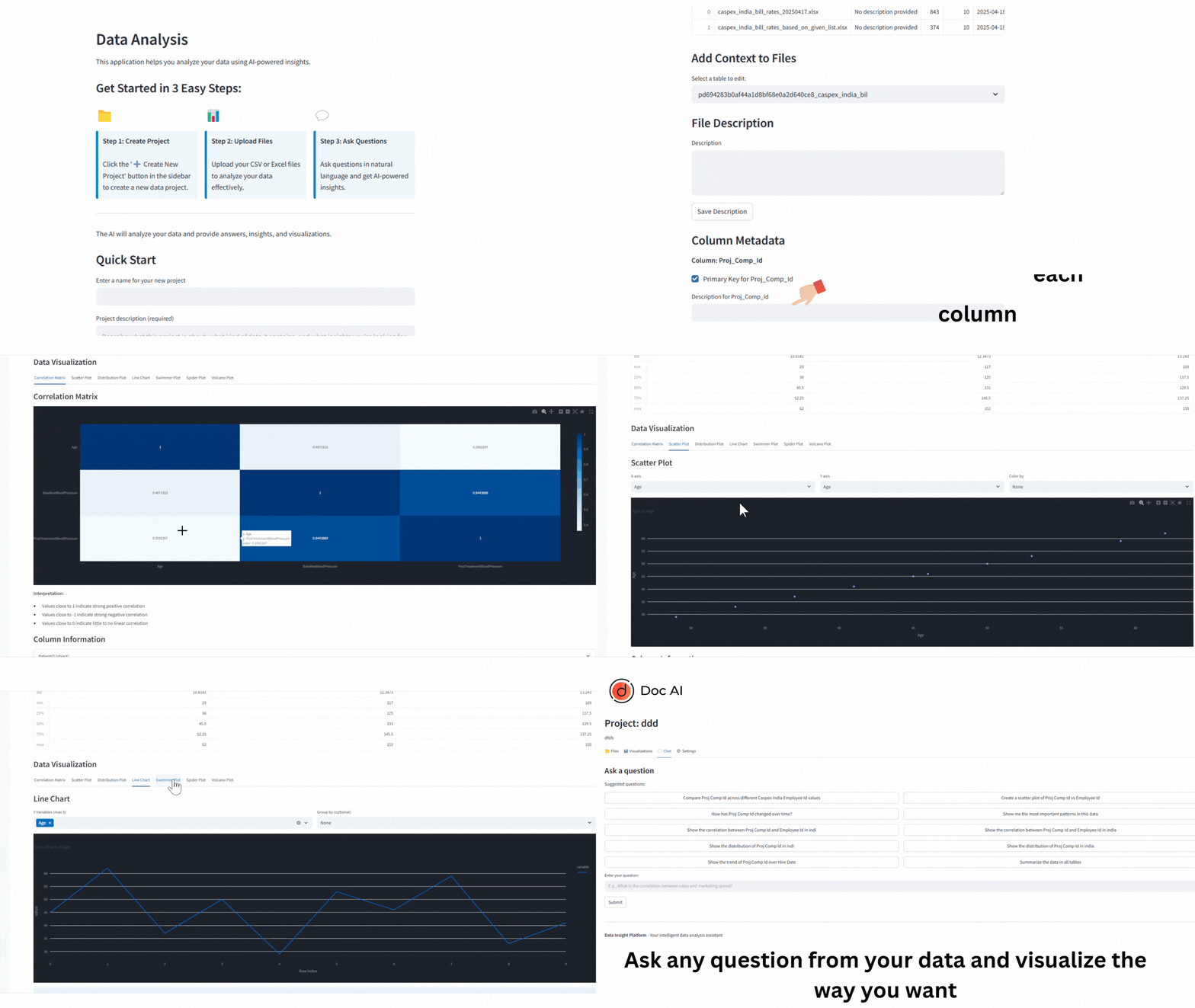
Your spreadsheets, supercharged. Upload Excel or CSV files — clinical results, production logs, sourcing KPIs — and Doc AI transforms them into visual insights. Generate scatter plots, distribution graphs, correlation maps, and statistical summaries with a single query.
Upload two or more documents and instantly highlight differences, summarize trade-offs, and create side-by-side comparisons. Perfect for audits and reviews.
Enhance your Doc AI models with more data, improved logic, and specific department-focused AI agents. Scale your document intelligence across the enterprise.
Get clean, structured outputs: summary tables, citations, formatted reports — ready to export and share instantly.

Automatically extract and compare values from MTCs.
Doc AI reads material test certificates, pulls specs (chemistry, rev levels, IDs), and checks them against part requirements.

Review and verify PPAPs with AI in seconds.
Doc AI checks for missing docs, mismatched rev levels, or spec violations before final submission.

Summarize trial metrics from multiple sources.
Aggregate PFS, ORR, and SAE metrics across trial PDFs to compare efficacy at a glance.

Match part numbers, specs, and rev levels instantly.
Doc AI validates every PO line against drawings, spec sheets, and quality instructions.
Automatically extract and compare values from MTCs.
Doc AI reads material test certificates, pulls specs (chemistry, rev levels, IDs), and checks them against part requirements.
Review and verify PPAPs with AI in seconds.
Doc AI checks for missing docs, mismatched rev levels, or spec violations before final submission.
Summarize trial metrics from multiple sources.
Aggregate PFS, ORR, and SAE metrics across trial PDFs to compare efficacy at a glance.
Match part numbers, specs, and rev levels instantly.
Doc AI validates every PO line against drawings, spec sheets, and quality instructions.